SEO

SEO or Search Engine Optimization is the process of improving a website’s authority and visibility for search engines. A website gets much organic traffic from the search engine through SEO. It is a free process for gaining organic traffic.
However, In this blog, I will share my experience with SEO.

Local SEO backlink audit for business webiste

Local SEO Backlink Audit: Is Your Profile Hurting Your Ranking?

A local SEO backlink audit reviews your website’s link profile to find harmful spam. This process identifies toxic links and discovers opportunities to boost your local search rankings. It ensures your business remains visible to local customers.

Do you want your business to rank high in local search results? Backlinks act like votes for your website. A thorough Local SEO Backlink Audit ensures these votes actually help you reach the top.

Weak or bad profiles actively hurt your visibility in the Local Map Pack. You must prevent penalties with regular checks. I help local businesses stay safe. My SEO Services cover this essential maintenance. Let’s clean up your profile today.

What is a Local SEO Backlink Audit?

A general backlink audit reviews every link pointing to your website. It helps you understand which links add value. A Local SEO Backlink Audit goes one step further. It focuses specifically on connections from your local area.

I consider this a detailed health check for your off-page SEO. You must distinguish between high-quality links and harmful spam. A regular check ensures your profile remains clean.

The main goal involves identifying toxic risks immediately. It also helps you find new opportunities in your city. You can then build a stronger local presence.

Why Backlinks Are Important for Local SEO

Search engines like Google trust websites with strong friends. Backlinks signal that other local businesses trust you. High-quality links boost your overall domain authority.

Research by Backlinko shows that the page ranking #1 on Google has an average of 3.8x more backlinks than the pages ranking in positions #2 through #10.

This authority directly impacts your position in the Local Map Pack. You need these signals to beat your local competitors. Google sees these links as proof of your local existence. They validate your location and your service relevance.

The 9-Step Backlink Audit Checklist

I use this specific checklist to keep websites healthy. You can follow these steps to secure your online presence.

Step 1: Check Your Authority Score

I start every audit by checking the authority score. Tools like Semrush show this number clearly. It reveals the overall strength of your website. A score below 20 often indicates a weak profile for established businesses.

Step 2: Analyze Toxic and Spammy Links

You must analyze toxic links immediately. I look for spammy sites linking to you. These include gambling or adult websites. You should use the Disavow Tool to block them.

Step 3: Review Link Relevance

I review the relevance of your links. Your backlinks should match your specific industry. A plumber needs links from home improvement blogs. Irrelevant links confuse the search engines.

Step 4: Count Your Local Backlinks

This step is crucial for local SEO. I count how many links come from your city. Check for links from local news, chambers of commerce, or city directories. These specific links boost your Map Pack ranking.

Step 5: Check the Referring Domains Ratio

I check the referring domains ratio next. You might have thousands of links from one site. This looks suspicious and spammy. I look for diversity in your backlink sources.

Step 6: Examine Do-follow vs. No-follow Ratio

You need to balance your link types. Do-follow links pass authority to your site. No-follow links do not pass power. I ensure your profile has a natural mix.

Step 7: Audit Your Anchor Text

I inspect the anchor text carefully. This is the clickable text in a hyperlink. Best practices include using your brand name or the URL itself. You should not overuse exact-match keywords.

Step 8: Hunt for Broken Backlinks

Broken links waste your SEO efforts. I hunt for links pointing to 404 pages. You lose valuable link juice through these errors. I fix them by setting up proper redirects.

Step 9: Competitor Gap Analysis

I analyze your competitors’ strategies. You can use reverse engineering to find their secret link sources. If a local directory lists them, get listed too. This helps you beat them in search results.

SEO Tools for Backlink Audit

You cannot do this work manually. You need the right software to see the hidden data.

  • Google Search Console (GSC): This is the best free backlink audit tool available. It shows exactly who links to you.
  • Semrush: I use this for deep analysis. It helps find toxic links and competitor gaps.
  • Ahrefs: This tool offers excellent free features through Ahrefs Webmaster Tools. It allows you to monitor your site’s health and check backlinks without a paid subscription.

Key Takeaway

A clean backlink profile builds trust with search engines. You must monitor your links regularly to stay safe. It protects your hard-earned rankings from sudden drops. Do not let spam destroy your local visibility.

Success comes from consistency, not speed. You should focus on quality over quantity every time. How can businesses audit their backlink profiles effectively? They must make this a routine habit, not a one-time task.

FAQs

How much does a local seo backlink audit cost?

Pricing varies based on your website’s size. My basic audit starts at $120. A comprehensive backlink audit service may cost more. It depends on the complexity of your current profile.

How often should I audit my links?

I recommend a checkup every quarter. This keeps your site safe from negative SEO attacks. Regular monitoring prevents long-term damage to your rankings.

Can I remove bad links myself?

Yes, you can use the Google Disavow Tool. However, be careful not to block good links. This process requires technical knowledge to avoid mistakes.

Do local citations count as backlinks?

Yes, many citations act as powerful backlinks. For example, a local seo backlink audit new york city targets NY-based directories. These specific signals prove your location relevance to Google.

Need a Professional Backlink Audit for your Local Business Website

Managing a local business is hard work. You should not waste hours digging through technical SEO data alone. I can handle this complex process for you.

I identify every toxic link within your profile. I also find hidden growth opportunities for your site. You get a clear, actionable roadmap to higher rankings.

Are you ready to secure your online presence? Contact me at Fahim today. Let’s build a stronger profile together.

📞 WhatsApp:+880 1923 456014
📧 Email: hello@fahimfkamal.com

Local SEO Backlink Audit: Is Your Profile Hurting Your Ranking? Read More »

Social Media Profile Audit for Small Business

How to Do a Social Media Profile Audit for Small Business

To do a social media profile audit, list every account your business owns. Check that your profile photo, bio, and contact details match your website exactly. Finally, fix broken links and update old information to keep your brand professional.

Running a small business is tough, and a Social Media Profile Audit is often overlooked. However, your customers are definitely online. Data shows that Facebook alone has over 3 billion monthly active users worldwide (Statista, 2024). If your profiles have old information, you miss the chance to connect with this massive audience.

This creates confusion for people who want to buy from you. They might find a wrong number or an old address. This guide fixes these errors fast. You will learn how to clean up your accounts and connect them to Google.

Why Social Media is Important for Local Businesses

You might think social media is just for fun. It is actually a powerful tool for every small business. Most potential clients search for you online before reaching out. They check your social media profile to see your work.

A strong social media presence builds trust instantly. It proves you are active and ready to serve. Your social media marketing drives traffic to your website. This helps you get found by local people.

Search engines also notice your activity on social platforms. Consistent posts show Google your business is real. This improves your overall digital marketing results. If you ignore these channels, you miss easy opportunities.

What is a Social Media Profile Audit?

This process checks the health of your accounts. You review every detail on your social media channel. It ensures your brand looks professional everywhere. You examine your bio, photos, and links.

A social media audit finds hidden problems. You might ask, “Is my social media helping my local SEO?” The answer is yes. Correct details help Google trust your business. It connects your social media strategy to real results.

You look at every social media account you own. This includes Facebook, Instagram, and LinkedIn. It is like a health check for your social media presence. You ensure everything works correctly for your audience.

Google Business Profile and Social Links

Google Business Profile now lets you add social links. You can connect many different accounts here. These include Facebook, Instagram, LinkedIn, and X (formerly Twitter). TikTok, Pinterest, and YouTube are also options. This feature connects your social media platform to search.

Google looks for activity on these platforms. Active profiles prove your business is alive. This activity helps your business rank higher locally. Your social media efforts connect directly to search results. It builds trust with both Google and customers.

You must link every valid social media account. It creates a bridge between search and social. Potential clients see your full social media presence immediately. This makes your social media marketing more effective for local SEO.

Social Media Profile Audit Checklist 2026

You need a plan to fix your accounts. You can use this social media profile audit checklist for that. It will cover the most critical parts of your profiles. I will use an architecture firm as my example for this audit.

Step 1: Profile Pictures

Your image must be clear and professional. Do not use a blurry photo. An architecture firm needs a sharp logo. It should look the same on every social media channel. This builds strong brand awareness.

Step 2: Bio and Keywords

Check your bio on every social media platform. Does it explain what you do? A vague bio hurts your growth. An architect should say, “Modern Architects in [City].” This helps potential clients find you.

Step 3: Contact Info (NAP)

Check your Name, Address, and Phone number. These must match your website exactly. This is often called NAP consistency. You might wonder how to fix wrong address on social media profiles. You must edit each profile manually.

Step 4: Recent Activity

Look at your last social media post. Did the firm post a design last week? Or was it last year? You must post often to stay relevant. Regular content shows you are open for business.

Why Social Media Profile Consistency Matters for Local Businesses

Inconsistent details confuse Google and your customers. Your competitors likely have matching information everywhere. Consistent data builds trust with search engines. If your details vary, you lose ranking power.

You might ask, “Why are my competitors ranking higher on local search?” They likely have a clean social media presence. Uniform data across every social media channel signals reliability. This boosts your local visibility significantly.

Tools to Make the Job Easier

You do not need expensive software to start. You can simply use a Google Sheet. This acts as your personal Local SEO social media audit template. It helps you track every social media account easily.

Many business owners ask, “How can I do a social media audit for free?” Manual checks often work best for small teams. You simply visit each profile and verify the data. This costs you nothing but time. A manual review is sufficient for most local needs.

Key Takeaway

  • A social media audit fixes hidden profile errors.
  • It ensures your business information remains consistent.
  • This consistency boosts your local SEO ranking.
  • You must link profiles to your Google Business Profile.
  • Active accounts build trust with potential clients.

FAQs

How do I add social links to my Google Business Profile?

Go to your Google Business Profile dashboard. Click on “Edit profile” and scroll down. You will find a section called “Social profiles.” Add your specific social media channel links there.

Is my social media helping my local SEO?

Yes, it builds trust with search engines. Google checks your social media presence to verify your business. Consistent details across all platforms help you rank higher.

Does posting on social platforms help my Google ranking?

Posting helps indirectly. It drives traffic to your website. Google sees this traffic as a sign of popularity. A strong social media strategy supports your overall SEO growth.

How much to charge for a social media audit?

I charge between $50 and $100 per social media platform audit for a local business. This allows you to pay only for the specific networks you need reviewed, such as Facebook or Instagram. The final cost depends on the number of accounts you want me to analyze.

Need a Professional Social Profile Audit for Your Local Business

Managing a local business is hard work. You might not have time for a full social media audit. I can help you fix your online presence. I review every social media account for errors.

My process ensures your brand looks perfect to potential clients. This service improves your local SEO results quickly. You get a clear report with actionable steps.

Do you want a professional review? Contact me today to book your session.

📞 WhatsApp:+880 1923 456014
📧 Email: hello@fahimfkamal.com
🔗 SEO Services:https://fahimfkamal.com/services/

How to Do a Social Media Profile Audit for Small Business Read More »

Local SEO On-Page Audit

How to Perform a Local SEO On-Page Audit for Small Businesses

A local SEO on-page audit reviews your website content to improve local search rankings. You check page titles, headers, and keywords to ensure they target local customers effectively. This process helps Google understand your business location and services.

Small businesses face tough competition in local markets. Your competitors might rank higher on local search results right now. This usually happens because their website talks to search engines better than yours does. You can fix this problem with a simple check.

A local SEO on-page audit reveals why you are not ranking. It highlights hidden issues in your content and structure. My guide helps you find and fix these problems quickly. You will attract more local customers and grow your business.

What Is a Local SEO On-Page Audit?

A local SEO on-page audit is a health check for your website’s visible content. It focuses on individual pages rather than the whole site’s technical code. You look at specific elements like titles, headings, and text.

The goal is to ensure every page targets the right local keywords. You must check if your business details match your Google Business Profile. This process ensures the search engine connects your site to your specific city or service area.

Why On-Page Audits Matter for Local SEO

Local SEO relies heavily on mobile users, but quality matters on every device. Poor content hurts your ranking on both desktop and mobile screens.

According to Statista, mobile devices consistently account for over 58% of global website traffic. This means the majority of local search traffic happens on phones. If your page is not optimized for these users, you lose them immediately.

An audit identifies weak content that confuses search engines. It fixes issues for every visitor. This ensures you reach local customers whether they are at home or on the go.

On-Page Audit Checklist for Local SEO

Use this detailed checklist to review your pages. You should fix these elements to improve your local seo strategy.

1. Page Title

  • Your page title tag is the first thing users see.
  • It must include your main service keyword and city name.
  • This helps search engines rank you for local keywords.
  • Limit: Keep it under 60 characters to avoid truncation.
  • Example: “Modern Residential Architects in Austin, TX | AustinArch”.

2. Page URL

  • Keep your URLs short and descriptive.
  • A clean URL structure is easier to read.
  • Ensure the page is only 2-3 clicks from the root domain.
  • Use the keyword + city name in the URL slug.
  • Limit: Keep it under 75–100 characters.
  • Example: www.austinarch.com/austin-residential-architects.

3. Meta Description

  • This short summary appears under your title in search results.
  • Write an engaging description to boost clicks.
  • It should describe your offer clearly.
  • Include the keyword + city name in this description.
  • Limit: Keep it under 160 characters.
  • Example: “Looking for modern home design in Austin? Our award-winning architects create sustainable living spaces. Schedule a consultation today.”.

4. H1 Heading

  • Every page needs one main H1 heading.
  • Ensure you use the primary local keyword + city name in the H1 tag.
  • This tells Google the main topic of the page.
  • Example: “Leading Residential Architecture Firm in Austin, Texas”.

5. Headers

  • Use H2 and H3 tags to organize your text.
  • This structure makes your content easy to scan.
  • It helps search engines understand your content hierarchy.
  • Example: Use an H2 for “Our Design Process” and an H3 for “Sustainable Materials”.

6. Main Body Content

  • Write high-quality text for your local customers.
  • Naturally weave the keyword + city name into the content.
  • Ensure your name, address, and phone number (NAP) are correct.
  • You should also link the webpage to your Google Business Profile.

7. Internal Links

  • Link to other service or location pages on your site.
  • This keeps visitors on your website longer.
  • It helps spread ranking power to other pages.
  • Example: Link the phrase “commercial building design” to your dedicated service page.

8. Image Alt Text

  • You must describe images for search bots.
  • Use the local keyword + city name in the alt text description.
  • This helps your photos appear in local search results.
  • Limit: Keep it concise, ideally under 125-150 characters.
  • Example: “Modern glass facade of a two-story home designed by Austin architects”.

To improve your specific landing pages even further, you should perform a GBP Landing Page Audit for Local SEO.

How to Audit On-Page SEO for Local (Small) Businesses

You can start this audit manually right now. This simple process reveals issues that hurt your ranking. It helps you see your website through the eyes of a local customer.

First, open your website on a desktop browser. You should verify your name, address, and phone number immediately. This data must match your Google Business Profile exactly. Inconsistent data confuses Google and lowers your trust.

Next, read your main service pages. Do they clearly state which city you serve? You need to confirm that local keywords appear in your headlines. This content tells the search engine where you operate.

Then, click on your internal links. You should check that they work and lead to relevant pages. Broken links frustrate users and hurt your seo performance. Fix any errors you find during this check.

Finally, test your site on a smartphone. Local search often happens on mobile devices. You must check if the text is easy to read. A fast, mobile-friendly site helps you achieve local seo success.

Common Local SEO On-Page Issues to Fix

You might find several errors during your check. These common mistakes often stop small businesses from ranking well.

Keyword Stuffing

You might think using many keywords helps. It actually hurts your ranking. This practice is called keyword stuffing. It makes your text hard to read. Google penalizes sites that do this.

Inconsistent Business Info (NAP)

Your business details must stay the same across the web. Inconsistent NAP data confuses search engines. It makes Google unsure about your real location. You must fix these errors immediately to build trust.

Thin Content

Short pages often fail to answer user questions. This is known as thin content. You need to add value for your local customers. Detailed pages rank much higher in search results.

Internal Link Opportunity

Many businesses forget to link their pages together. This is a missed opportunity. You should link your service pages to your location pages. This helps search engines crawl your site easily. It also keeps users on your site longer.

Important Note: Sometimes the problem is not the content. If your site loads slowly or has code errors, you have a technical problem. On-page changes cannot fix these hidden issues. You likely need a professional Technical SEO service to solve these specific problems.

Tools for Local SEO On-Page Auditing

You do not need expensive software to start. These free tools help you find errors quickly.

Google Search Console

This is the most important free tool. It alerts you to mobile usability issues. It also shows you exactly which keywords bring users to your site.

Google Analytics

This tool tracks your visitors. You can see how long users stay on your local pages. It helps you understand which content your local customers like best.

Screaming Frog SEO Spider

This desktop tool crawls your website links like a search engine. It finds broken links and missing titles instantly. You can use the free version for up to 500 URLs. It saves you hours of manual work.

SEO Browser Extensions

Free browser plugins like Detailed SEO Extension or SEO Minion save you time. They analyze your page title, headers, and links with one click. They also spot broken links instantly.

PageSpeed Insights

Mobile users hate slow websites. This Google tool tests your site speed. It gives you a score and tells you exactly how to make your pages load faster.

Final Tips to Improve Local Rankings

An audit is just the first step. You must keep improving your site to stay ahead.

  • Update Content Regularly: Google loves fresh content. You should update your blog or news section often.
  • Use Real Photos: Avoid stock photos. Real images of your office or team build trust with local customers.
  • Encourage Reviews: Ask happy clients to review you on Google. Positive reviews signal trust to search engines.
  • Monitor Competitors: Watch what the top local businesses do. You can learn new strategies from their success.

Key Takeaway

A local SEO on-page audit is essential for small business growth. It ensures your website communicates clearly with search engines. You must focus on accurate NAP data and strong local keywords. Regular checks keep your site healthy and competitive. This process helps you reach more customers in your specific area.

FAQs

What on-page elements should I check in a local SEO audit?

You should check your page titles, headers, and meta descriptions. It is also vital to check your NAP consistency and internal links.

How do I optimize on-page SEO for local rankings?

Include your city name in your titles and headings. Write content that solves local problems. Ensure your website is fast and mobile-friendly.

What tools can I use to perform a local SEO on-page audit?

You can use Google Search Console and Google Analytics. Browser extensions like Detailed SEO Extension are also very helpful for quick checks.

How often should I conduct a local SEO on-page audit?

You should audit your site every three to six months. Frequent checks help you catch new errors and stay ahead of competitors.

Need a Professional On-Page SEO Audit for Your Local Business Website

Conducting an audit takes time and skill. You might miss hidden errors that hurt your growth. I can help you find and fix these issues quickly.

I provide a detailed local SEO audit report tailored to your business. My service ensures your website is fully optimized for local search results.

📞 WhatsApp: +880 1923 456014
📧 Email: hello@fahimfkamal.com
🔗 SEO Services:https://fahimfkamal.com/services/

Contact me today to schedule your professional audit and start ranking higher.

How to Perform a Local SEO On-Page Audit for Small Businesses Read More »

Technical SEO Audit for Local Business Website

How to Do an In-Depth Technical SEO Audit for a Local Business Website?

You can perform a technical SEO audit by checking site speed, mobile usability, and indexing status. This process fixes hidden errors to help your local business website rank higher on Google Search.

Do you own a local business and want more customers from the web? A technical SEO audit helps your website appear in Google search results. This process checks your site for hidden errors. These errors might stop search engines from reading your pages.

Your digital marketing success relies on a healthy website. I will guide you through this process using simple steps. You will learn to use a technical SEO audit checklist. This guide makes the task clear and effective for you.

What is a Technical SEO Audit?

A technical SEO audit acts like a health check for your website. It reviews backend elements that affect your search engine visibility. This process finds errors that are stopping Google from reading your pages. You need to ensure a strong foundation for your digital marketing success.

Benefits of a Technical SEO Audit

You gain many advantages from a regular audit. It improves your overall SEO performance. Your site becomes faster and easier to use. This keeps visitors on your page longer.

A clean site helps you rank higher for local SEO. You will likely see growth in organic traffic. This means more local customers can find you. It also helps your SEO strategy work better.

You save money by fixing errors early. A broken site wastes your SEO efforts. This process ensures your site follows every webmaster guideline.

16 Technical SEO Checklist for Local Business Website

You need a clear plan to fix your site. This technical SEO audit checklist covers the essentials. Follow these steps to improve your website’s health.

Technical SEO Audit Checklist

1. Preferred Version (WWW vs non-WWW)

You must pick one URL format. People might type “www” or leave it out. Both inputs should load the exact same page. Search engines might see two different sites otherwise. This creates duplicate content issues. You should set up a redirect to your main version.

2. SSL

Security is significant for every local business. You need an active SSL certificate. It changes your address from HTTP to HTTPS. This keeps customer data safe. Google warns users if a site lacks this. You should fix this immediately to build trust.

3. HSTS Header

This setting adds more security to your HTTPS. It forces browsers to load the secure version only. This prevents common attacks on your site. You can check this during a site audit. It ensures a safe connection for users.

4. Robots.txt

This file talks to search engine bots. You tell them where to go. You also block them from private admin pages. A wrong setting here can hide your whole site. You should review this file carefully.

5. Sitemap

A sitemap lists all your important pages. It guides Google through your website structure. You submit this XML file to Google Search Console. It helps bots find new content quickly. You must ensure it is error-free.

6. Proper Indexing

You need to confirm Google lists your pages. Type “site:[suspicious link removed]” into the search bar. This command displays your pages in search results. Missing pages mean a technical issue exists. Google Search Console helps you inspect specific URLs.

7. GSC vs. Live Score comparison

Do not rely on just one data source. You should compare Google Search Console data with live tests. Google Lighthouse provides real-time checks. Field data often differs from lab data. This comparison reveals your true SEO performance.

8. Broken Links (4XX)

You might encounter various 4XX errors during a scan. These are client-side issues. The most common is the 404 “Not Found” error. You might also see 403 errors where access is forbidden. These stop users and bots immediately.

These errors hurt your user experience. They waste the time of search engine crawlers. You must scan your site regularly to find them. Fix or remove these links to maintain site health.

9. Redirection (3XX)

Redirections guide traffic from old URLs to new ones. You use 301 redirects for permanent moves. You use 302 redirects for temporary changes. Using the wrong type confuses Google.

You must handle these carefully during a site audit. Avoid creating long chains of redirects. Chains slow down your site speed. Keep your internal links direct. This helps bots understand your site structure.

10. Page Speed (Core Web Vitals)

Fast websites rank higher. Google measures speed with Core Web Vital metrics. You should test pages using Google PageSpeed Insights. Slow loading times lose customers. Fix code issues to improve results.

11. Mobile-Friendliness

Most people search for local shops on phones. Your design must adapt to small screens. Mobile SEO is a ranking factor now. Google uses your mobile site for indexing. Test your layout on various devices.

12. Site Structure

You need a logical layout for content. Visitors must find information easily. A good site structure organizes pages well. Use clear categories to group topics. This helps search engines understand context. It also improves the user journey.

13. Crawl Depth

Important pages must be easy to reach. There should be no more than 2 to 3 clicks from the root domain. Content buried deeper gets crawled less often.

A flat site structure helps here. This ensures Google finds your service pages quickly. You want your high-value content near the homepage. This improves your overall SEO performance.

14. Duplicate Content / Canonical Tags

Local businesses often make a common mistake. They copy text across pages for different cities. This creates a serious duplicate content issue. Google might filter these pages out of search results.

You need unique descriptions for every location page. Use canonical tags to tell bots which version is original. This solves technical SEO issues effectively. It protects your ranking potential.

15. Image Optimization

Large images slow down websites. You must compress file sizes. Add descriptive alt text for accessibility. This helps search engines understand the picture. It boosts your site speed significantly. Fast images keep users engaged.

16. Local Schema Markup

This code boosts local search results. You add specific data to your HTML. It defines your address and hours. It helps you appear on Google Maps. Use schema markup (Organization, LocalBusiness, and Map Schema) to clarify business details.

Tools to Use

You need reliable software for your audit. These programs find hidden data quickly. I recommend these specific options for every SEO specialist.

  • Google Search Console (GSC): You should start here. It tracks indexing status and crawl errors. You can also check Core Web Vitals reports. It is an essential SEO tool for monitoring health.
  • Google Analytics: You can analyze user behavior with this platform. It shows where your organic traffic comes from. You understand how visitors interact with your pages.
  • Screaming Frog: These desktop programs crawl your entire website. They identify broken links and redirect chains. You use them for a deep technical audit.
  • Google PageSpeed Insights: You must test speed with this specific tool. It grades your site performance on mobile and desktop. It suggests fixes to improve loading times.
  • Schema Validator: You verify your structured data here. It checks your schema markup for syntax errors. This ensures search engines read your business details correctly.

Final Takeaway

You now understand the value of a technical SEO audit. It builds a strong base for your local business. You fix errors to help google search find you. Regular checks keep your site speed high. This leads to more customers and better rankings.

Your digital marketing results depend on this foundation. You should not ignore these technical details. A healthy site supports all your SEO efforts. It ensures long-term growth for your brand.

FAQs

What do you need from a client before completing a technical SEO audit?

I need access to your Google Analytics and Search Console. You should also provide website login details. I need to know your main business goals. This helps me find the most critical SEO issue.

Can I do a technical audit myself, or do I need an expert?

Yes. You can use free tools for a basic check. However, complex technical SEO issues require experience. An SEO specialist digs deeper into the code. They save you time and ensure accuracy.

How much does a technical SEO audit cost?

The price varies based on site size. Basic automated reports might cost less. A manual local SEO audit by an expert costs more. You pay for the depth and actionable strategy provided.

Need a Professional Technical SEO Audit for a Local Business Website?

If you want a full technical SEO audit, I can help you. I review site structure, speed, and indexing issues that limit Google Search visibility.

I explain what needs fixing and how your website can better support your local business. Each audit includes clear steps based on your CMS, competition, and SEO strategy.

📞 WhatsApp: +880 1923 456014
📧 Email: hello@fahimfkamal.com
🔗 SEO Services: https://fahimfkamal.com/services/

I review every technical audit factor that impacts search results. My goal is to help you fix errors and improve your organic traffic.

How to Do an In-Depth Technical SEO Audit for a Local Business Website? Read More »

GBP Landing Page Audit

How to Audit GBP Landing Page for Local SEO?

A GBP landing page audit reviews how a local page supports Google Business Profile rankings and local search visibility. It checks content, layout, trust signals, and technical SEO elements that connect the page with your business profile.

You need a strong landing page to support your Google Business Profile and local search goals. A GBP landing page audit helps align content, business information, and local keywords with search results.

I base this process on real GBP audits used to fix ranking drops, visibility gaps, and local relevance issues. These checks focus on how search engines and local customers evaluate your business page.

What is the GBP Landing Page?

A GBP landing page is a web page made to attract local customers and support your Google Business Profile in search results. It uses local place names, contact details, and relevant content so search engines know the area you serve. Local landing pages target one service and one area to improve visibility in nearby searches.

You can place maps, address blocks, and clear contact info on the page so local users and search engines see where you operate. These pages help search results match your business to local queries about your services or location.

Why GBP Landing Pages Are Important for Local SEO

A GBP landing page helps your business appear higher in local search results on Google. It gives nearby customers clear information about your services, address, and contact details. Local landing pages improve local relevance and show Google that your business serves a specific area.

These pages connect directly to your Google Business Profile, supporting your local SEO strategy. Well-structured content, location signals, and trust elements help your profile rank better. Regular updates to the page can increase local visibility, attract more local traffic, and improve engagement with potential customers.

How Local Landing Pages and GBP Work Together

A local landing page works with your Google Business Profile to improve local search results. Matching business information, services, and location signals on both platforms helps Google understand your area and services. This alignment increases your local relevance and shows nearby customers that your business serves them.

Embedding your GBP map, maintaining consistent NAP details, and utilizing local keywords enhances search engine signals. When the landing page and profile support each other, your local ranking improves, and more local customers find your business.

GBP Landing Page Audit Checklist

A GBP landing page audit checks whether your page supports Google Business Profile signals and local SEO goals. Each item reflects common issues found during real local SEO audits and ranking reviews.

These checks focus on accuracy, structure, usability, and trust. When these elements align, search engines understand your business better, and local customers feel confident taking action.

1. Page Basics & Metadata

  • Page title includes service and location
  • Page URL is clean, readable, and location-specific
  • Meta description clearly explains the service and location
  • H1 heading matches page intent and local keyword focus

2. CTA & Above-the-Fold Section

  • Primary CTA is visible without scrolling
  • Service, location, and business name shown clearly
  • CTA matches local search intent

3. CTAs Throughout the Page

  • CTAs placed after intro, services, and trust sections
  • CTA text is action-focused and simple
  • Contact options remain consistent

4. NAP & Business Hours Accuracy

  • Exact match GBP business name
  • Exact match GBP address
  • Exact match GBP phone number
  • Fax number added if available
  • Contact email added if available
  • Exact match GBP business hours
  • Online appointment system is linked if available

5. Google Business Profile Map Embed

  • Correct GBP map embedded on the page
  • Map matches the exact business listing
  • Embed placed near key business information

6. Intro Content

  • Clear local-focused introduction
  • Service and location explained early
  • Content written for local customers

7. Core Service Section

  • Main services are listed clearly
  • Coverage options or direct billing info included if relevant
  • Common conditions treated are listed if applicable

8. Services Section

  • All services are listed accurately
  • Services match GBP services
  • Local keywords are used naturally

9. Products Section (If Applicable)

  • Products listed only for this location
  • Short descriptions included
  • Pricing added where possible

10. Business Photos & Media

  • Minimum one real business photo
  • Images show location, team, or services
  • Image alt text includes service or location terms

11. Trust & Business Identity Signals

  • Short “Who we are” paragraph included
  • Team members listed or shown
  • GBP attributes reflected on the page
  • Google reviews or ratings are shown
  • Social media links added

12. Driving Directions & Location Support

  • Clickable driving directions included
  • Directions tested from nearby areas
  • Address displayed clearly in the footer

13. Local Schema Markup

  • Local business schema added
  • NAP details included in the schema
  • Schema matches GBP information

Common GBP Landing Page Audit Mistakes

Many local landing pages link the Google Business Profile to a generic homepage. This weakens local relevance and confuses search engines about service areas.

I often see mismatched business names, addresses, or phone numbers across pages. Missing map embeds, weak CTAs, and outdated business hours also reduce local search ranking and trust.

Tips to Develop a High-Converting Local GBP Landing Page

A strong local landing page focuses on clear service and location details. You should place a clear CTA above the fold and repeat it across key sections. Simple language, local keywords, and matched business information help users trust your page and take action.

You should add real business photos, reviews, and driving directions to support decisions. Mobile-friendly design and fast loading also matter for local users. Clear structure, accurate data, and helpful content can turn local traffic into real customer leads.

GBP Landing Page Audit Free Tools

You can use trusted tools to review landing page performance and SEO issues. Google Search Console helps check indexing, search results, and coverage errors.

Google Analytics shows local traffic behavior and engagement. PageSpeed Insight highlights mobile and speed problems. Google Keyword Planner helps validate local keywords based on real search data.

Final Takeaway

A GBP landing page audit helps improve accuracy, relevance, and local visibility. Regular reviews allow you to fix issues before rankings drop or traffic declines.

When your landing page and Google Business Profile stay aligned, search engines trust your business more. This consistency supports long-term local search ranking and customer confidence.

FAQs

How Many Landing Pages Should I Create For Each Location?

You should create one landing page for each physical business location. Each page should target a specific city or area and link to the matching Google Business Profile for accurate local search signals.

Can I Use the Same Landing Page URL for Multiple GBPs?

You should not use one landing page for multiple Google Business Profiles. Each GBP needs a unique landing page to avoid confusion and protect local search ranking and local relevance.

What Keywords Should I Use on a GBP Landing Page?

You should use service and location-based keywords that match real local searches. Tools like Google Keyword Planner help find local keywords customers actually use when searching nearby services.

How Often Should I Audit My GBP Landing Pages?

You should audit your GBP landing pages every three to six months. Regular audits help catch SEO issues, content gaps, and business information changes before rankings drop.

Do GBP Landing Pages Need Schema Markup?

Yes, local schema markup helps search engines understand your business details better. Schema supports address, services, and contact data, which can improve local visibility and trust signals.

Need a Professional GBP Landing Page Audit?

If you want a full GBP landing page audit, I can help you. I review page structure, content gaps, and technical issues that limit Google Business Profile support.

I explain what needs fixing and how your landing page can better support local search visibility. Each audit includes clear steps based on your location, competition, and services.

📞 WhatsApp: +880 1923 456014

📧 Email: hello@fahimfkamal.com

🔗 SEO Services: https://fahimfkamal.com/services/

I review every landing page factor that impacts local search results. My goal is to help you attract more local customers and improve local rankings.

How to Audit GBP Landing Page for Local SEO? Read More »

Google Business Profile Audit Checklist

How to Audit Google Business Profile for Local SEO?

A Google Business Profile auditreviews how a local business profile appears on Google Search and Google Maps. It checks for missing or wrong business information and shows what needs fixing to improve your local search ranking and visibility.

A Google Business Profile audit helps your business identify errors and improve local search visibility. It explains what you check in a local SEO audit and why it matters. You will learn how this review can improve your local search visibility and attract more local customers.

What is Google Business Profile (GBP) Audit?

It is a detailed review of your listing to ensure it is accurate and complete. A good audit checks your business name, address, phone, category, photos, reviews, and posts so your profile ranks better in local search results on Google Search and Google Maps.

Auditing identifies missing or incorrect information that can stop your business from appearing to the right customers. Regular GBP audits also reveal ways to align your profile with your local SEO strategy and customer needs.

Why GBP Audits Are Important

This audit checks your Google Business Profile for missing or wrong details that hurt your local SEO. A complete and accurate profile helps your business show in more local search results and in the Google map pack when customers search nearby.

You should run this audit regularly to catch issues early and keep business information updated. This keeps your local SEO performance strong and improves customer engagement with your business profile.

How Local Search Works in 2026

Local search ranking depends on how well your Google Business Profile meets a user’s needs. These include how close your business is, how well it matches the search, and how strong your online presence is.

Proximity

Your distance from the person searching plays a big role in local search ranking. Businesses closer to the searcher are more likely to appear in the local pack and on Google Maps results.

Relevance

Google checks how well your business listing matches the search query. Your business category, description, services, and keywords help Google understand whether your profile fits what a local customer wants.

Prominence

Google looks at how trusted and well‑known your business seems online and offline. Signals like customer reviews, ratings, citations, and complete profile details help increase prominence in local search results.

Google evaluates signals from your website, Google Business Profile, citations, content quality, customer reviews, and real user activity to decide which businesses show in search results and local search ranking.

Google Business Profile (GBP) Audit Checklist

The following checklist includes all key items to review in your Google Business Profile audit for strong local SEO. It covers profile basics, content, reviews, services, posts, and technical elements to help your profile rank in local search results.

1. Google Possum Filtering & Duplicate Listing

  • Check for duplicate GBP listings on Google Maps or Search.
  • Identify multiple listings for the same business in one building.
  • Track phone number usage across other business profiles.
  • Confirm no other business of the same type exists at your exact address.
  • Validate your business address matches your website and citations.
  • Check if the same business exists within a 1 km range.

2. Business Information (NAP & Categories)

  • Ensure Name, Address, and Phone number (NAP) are accurate and consistent.
  • Verify business hours are correct.
  • Use the correct primary category.
  • Add secondary categories to cover related services.

3. Business Description

  • Use up to 750 characters to describe your business.
  • Write a unique, keyword-optimized description.
  • Clearly explain your services, location, and unique selling points (USPs).
  • Avoid keyword stuffing.

4. Photos & Media

  • Upload high-quality, geotagged photos of your business, staff, products, and services.
  • Add videos or 360-degree content if possible.
  • Replace stock photos with real visuals.
  • Regularly update media to keep your profile active.

5. Reviews & Reputation

  • Track average review score and star ratings.
  • Respond to all reviews, positive and negative.
  • Encourage reviews mentioning your services and location.
  • Monitor reviews’ impact on local search ranking.

6. Posts & Updates

  • Maintain regular post-publishing.
  • Include keywords, CTAs, and images in posts.
  • Share updates, promotions, or announcements.

7. Services & Products

  • List all products and services.
  • Provide detailed descriptions with relevant keywords.
  • Include prices where applicable.

8. Q&A Section

  • Answer existing questions clearly and promptly.
  • Add FAQs proactively to address common customer queries.

9. Attributes

  • Verify attributes like Wheelchair accessible, Free Wi-Fi, LGBTQ+ friendly, etc.
  • Add any relevant missing attributes.

10. Profile Completeness & Activity

  • Ensure all GBP features are active:
    • Messaging
    • Booking button
    • Menus/services
    • Website, appointment, or ordering links

11. Spam & Linking Factors

  • Identify competitor spam and take action if needed.
  • Ensure links point to the correct, optimized landing pages (location-specific).
  • Use UTM parameters for tracking.
  • Confirm landing pages are optimized for local SEO.

12. Social Media

  • Add links to your social media profiles.
  • Keep social media activity consistent to support your local SEO strategy.

Tip: Run this checklist monthly or quarterly to maintain strong local search visibility and optimize your Google Business Profile for maximum customer engagement.

GBP Audit Tools

Bright Local helps audit your Google Business Profile and local SEO performance, reviewing listings, citations, and local ranking signals. So you can see what needs fixing and what is helping your profile show in search results.

Local Dominator is a tool that scans your local presence and shows how your business appears on Google Maps and in local searches. It also compares your listing to competitors and flags areas you can improve in your GBP audit.

GMB Everywhere is a browser extension that helps you check your Google Business Profile details and local search results right from the browser. It can show ranking signals and listing details to support your audit work.

PlePer Local SEO Tools is another extension that gives you quick local SEO data from Maps results. You can see review counts, ratings, hours, and categories for your own listing and your competitors.

GS Location Changer (valentin.app) lets you simulate searches from different places so you can check your local search ranking from specific locations without moving. This helps you see what nearby customers see on Google Search

Key Takeaway

A Google Business Profile audit helps you find errors and missing information that hurt your local SEO. Regular audits make sure your business profile is complete, accurate, and updated so you show in local search results and on Google Maps. Keeping your business information consistent and managing reviews regularly are essential for strong local search visibility.

FAQs

How to check the GBP ranking?

You can check your Google Business Profile ranking using a local rank tracker tool or a local rank checker. These tools show where your profile appears in local search results and on Google Maps based on your keywords and location.

What are common Google Business Profile mistakes?

Many businesses use incomplete or inconsistent business information, wrong categories, or ignore reviews. These errors reduce visibility in local search ranking and may confuse Google’s algorithms about your business relevance.

Does a Local SEO Audit improve rankings?

Yes. A local SEO audit finds errors in your Google Business Profile that hurt visibility. Fixing these issues helps your profile appear more often in local search results and can boost your local search ranking.

Is 4.7 a good Google rating?

Yes. A 4.7 Google review score means most customers are satisfied. Higher ratings help your business earn trust and can support your position in local search results.

Is review boosting illegal?

Yes. Asking for fake reviews or incentivizing reviews can violate Google’s policies and may lead to penalties or loss of reviews. You should only encourage real customer reviews from actual buyers.

How long does an audit take?

A local SEO audit can take a few hours for a basic review of your Google Business Profile audit to several hours for a full, detailed report. The exact time depends on how many listings and locations your business has.

Need a Professional Local SEO Audit?

If you want a full Google Business Profile audit, ranking check, and a clear action plan for your business, contact me today. I help local businesses figure out what needs fixing and how to improve their local search visibility.

📞 WhatsApp: +880 1923 456014
📧 Email: hello@fahimfkamal.com
🔗 SEO Services:https://fahimfkamal.com/services/

I review every ranking factor and deliver a complete audit with tailored recommendations based on your competition, location, and industry. My goal is to help you attract more local customers and improve your local search ranking.

How to Audit Google Business Profile for Local SEO? Read More »

Local SEO Audit Key Steps

Local SEO Audit: What It Is, Why It Matters, and Key Steps

A Local SEO Audit is an evaluation of how well your business shows up in local search results. It checks things like your Google Business Profile, local search rankings, and citations.

You want people nearby to find your business first. Local visibility lets small business owners connect with customers searching nearby.

This blog shows what an SEO audit is and why a Local SEO Audit matters. I’ll guide you through key steps so you can improve how your small business appears in local search results.

What is an SEO Audit?

An SEO audit is a full check of your website to find how well it ranks on search engines. It looks for issues that block visibility and traffic.

It covers three main parts: technical, on-page, and off-page. Each part plays a specific role.

Key Components

  • Technical: It checks site speed, mobile friendliness, crawlability, HTTPS status, URL structure, XML sitemap, and robots.txt.
  • On-Page: It audits meta tags, headings, content quality, keyword usage, internal linking, and image alt text.
  • Off-Page: It reviews backlinks, social mentions, domain authority, and online reputation.

Why Audits Help Websites Perform Better

I see audits help small business websites by:

  • Finding errors that hurt search engine visibility (slow pages, broken links).
  • Showing places to improve content so it answers what people search for.
  • Building trust with search engines by cleaning up harmful backlinks or fixing technical problems.
  • Giving insight into keyword performance and how to use local keywords in content.

What is a Local SEO Audit?

A Local SEO Audit is a review that checks how well your business appears in local search results. It looks at things like your Google Business Profile, local keywords, and customer reviews.

This audit is important for small businesses aiming to attract customers nearby. It helps ensure your business information is accurate and consistent across the web, making it easier for local customers to find you.

SEO Audit vs Local SEO Audit

An SEO audit evaluates your website’s overall performance. It helps improve visibility across all search results. It focuses on elements like site speed, mobile-friendliness, keyword optimization, and backlink quality. This audit aims to enhance your site’s ranking on a national or global scale.

A Local SEO audit targets factors that influence your business’s presence in local search results. It checks your Google Business Profile, local keywords, customer reviews, and local citations. These ensure your business appears in searches relevant to your area.

In short, both audits boost online visibility. SEO audits cover a broad scope. Local SEO audits focus on factors that attract nearby customers.

How to Do a Local SEO Audit (Step-by-Step)

Performing a Local SEO Audit helps your business show up better in local search results. It ensures your business information is correct, your website is optimized, and your online presence attracts potential customers nearby. Here are five key steps to follow.

1. Google Business Profile (GBP) Audit

Check your Google Business Profile for accuracy. Make sure your business name, address, phone number, and website link are correct. Update your business hours, add high-quality images, and verify your categories. Regularly post updates to engage customers and maintain trust with local search engines.

2. Website Audit

Review your website for speed, mobile usability, and security. Ensure all pages load quickly and the content is easy to read. Check internal links, meta titles, and headings for proper keyword usage. Use Google Analytics to track visitor behavior and identify pages needing improvement.

3. Citation Profile Audit

Audit your business listings across local directories. Ensure your NAP (Name, Address, Phone) details are consistent everywhere. Remove duplicate or outdated listings. Accurate citations help search engines trust your business and improve your local search ranking.

4. Social Profile Audit

Check your social media profiles for consistency with your business information. Update bios, contact details, and website links. Actively post content that highlights your business and local events. Social engagement signals can influence local search visibility and attract potential customers.

5. Backlink Audit

Examine backlinks pointing to your website. Remove spammy or low-quality links that may harm your local rankings. Build quality backlinks from local businesses, directories, or event partnerships. Strong local backlinks boost your authority and help your business appear higher in local search results.

FAQs

1. What is the purpose of a local SEO audit?

A local SEO audit evaluates your business’s online presence to ensure it appears in local search results. It helps identify areas for improvement, such as inconsistent business information or missed opportunities, to enhance visibility and attract nearby customers.

2. Can I do local SEO myself?

Yes, with the right resources and tools, you can manage local SEO. However, it requires time and knowledge to implement effectively.

3. Are local SEO audits worth it?

Absolutely. Local SEO audits help improve visibility, attract nearby customers, and enhance online presence, offering long-term value for small businesses.

4. How often should I do a local SEO audit?

Conduct a major audit once or twice a year, supplemented by quarterly checks to ensure consistent performance and adapt to changes.

5. What are the most effective tools for local SEO audits?

Tools like BrightLocal, Moz Local, and SEMrush offer powerful features for local SEO audits, helping identify and resolve issues effectively.

6. What mistakes should I avoid in a local SEO audit?

Avoid overlooking NAP consistency, neglecting Google Business Profile optimization, ignoring customer reviews, and failing to monitor performance regularly.

Key Takeaways

  • Running a Local SEO Audit helps your business appear in local search results and attract nearby customers.
  • Consistent business information, updated Google Business Profile, and accurate citations improve trust and local search rankings.
  • Regular audits highlight areas to improve your website, content, and online presence for better local visibility.

A Local SEO Audit is essential for every local business. It strengthens online presence, builds trust, and helps connect with potential customers nearby. If you want guidance or a review from a Local SEO expert, I can help you get started.

Local SEO Audit: What It Is, Why It Matters, and Key Steps Read More »

Local SEO in Digital Marketing

What is Local SEO in Digital Marketing? A Beginner’s Guide for Local Business Owners

Local SEO in digital marketing helps small businesses appear in Google Search, Google Maps, and local search results. It connects your business with local customers who are ready to act.

Local SEO is a powerful tool for small businesses aiming to attract nearby customers. By optimizing your online presence, you can increase visibility in local search results, making it easier for potential customers to find and choose your business.

Understanding local SEO is essential for standing out in your community. It involves strategies like optimizing your Google Business Profile, using local keywords, and encouraging customer reviews. These efforts help build trust and credibility, leading to more foot traffic and phone calls.

This guide will walk you through the basics of local SEO and explain why it’s crucial for your business’s success. Let’s explore how you can leverage local SEO to connect with your audience and grow your business.

What is Local SEO in Digital Marketing? A Simple Definition

Local SEO involves optimizing your online presence to rank higher in local search results. This includes strategies like setting up and optimizing your Google Business Profile, using location-specific keywords, and ensuring consistent business information across online directories.

Unlike general SEO, which targets a global or broad audience, local SEO focuses on nearby customers. Traditional SEO aims for high rankings anywhere. Local SEO, however, prioritizes searches with local intent.

For example, if you are an architect in New York, local SEO helps your business appear when someone searches for “architects in New York.” This increases your visibility and brings more potential clients from your area.

Why is Local SEO Important for Your Business?

Local SEO drives potential customer actions. People searching for nearby services often call, visit, or purchase quickly. Optimizing for these searches increases conversions and revenue.

You can build trust by providing accurate business information and soliciting customer reviews. Positive reviews improve credibility and encourage new local customers to choose your business.

High local search rankings help your small business stand out against local rivals. Appearing at the top of the results gives you visibility equal to larger competitors.

Your online presence plays a critical role. Local intent in search marketing ensures customers find businesses offering relevant services nearby.

Local SEO supports marketing efforts across multiple channels. It works with Google Ads, social media, and local directories to strengthen your business profile.

Investing in local SEO connects you directly with customers ready to act. Small businesses can compete effectively and grow sustainably.

How Does Local SEO Work? The Key Components

Local SEO enhances your online presence to attract nearby customers. It involves various strategies and factors.

The Map Pack & Ranking Signals

The Google Map Pack displays the top three local businesses for a search query. Ranking here boosts visibility and click-through rates.

Three key ranking factors influence your position in the map pack:

  • Relevance: How well your business matches the searcher’s query.
  • Distance: Proximity of your business to the searcher.
  • Prominence: The known reputation of your business based on online information.

Additional Components of Local SEO

  • Google Business Profile (GBP) Optimization: Your GBP serves as your digital storefront. Keep your business information accurate and up-to-date to enhance your chances of ranking higher in search results and Google Maps.
  • Local Keywords: Incorporate location-specific keywords into your website content, titles, and metadata to help attract customers from your target area.
  • NAP Consistency & Citations: Ensure your business’s Name, Address, and Phone number (NAP) are consistent across all online platforms. This builds trust with both search engines and customers.
  • Online Reviews & Reputation: Positive reviews on platforms like Google, Yelp, and Facebook not only influence potential customers but also impact local search rankings. Managing and responding to reviews is essential for maintaining reputation and credibility.
  • On-Page & Technical SEO: Optimize your website with local content, ensure it’s mobile-friendly, and implement schema markup. Also, create dedicated landing pages to improve your local search performance.
  • Backlinks & Local Citations: Acquiring backlinks from reputable local websites and being listed in local directories. It can enhance your site’s authority and local search rankings.
  • Emerging SERP Elements: Stay updated on new features in search engine results pages (SERPs), like AI Overview above the Map Pack. It can affect how your business appears to potential customers.

How to Get Started with Local SEO: A Beginner’s Checklist

Before diving into these steps, it’s smart to run a quick local SEO audit. An audit helps you identify gaps in your online presence, NAP consistency, and Google Business Profile setup so you know exactly where to focus first.

  1. Claim and Fill Out: Start by claiming and optimizing your Google Business Profile. Fill in all business details accurately.
  2. NAP Consistency: Make sure your Name, Address, and Phone number match across key local directories. This builds trust with search engines and customers.
  3. Customer Reviews: Encourage customers to leave reviews. Responding to reviews improves reputation and local search rankings.
  4. Use Local Keywords: Incorporate location-based keywords in content, titles, and metadata. This helps attract nearby potential customers.
  5. Schema Markup and Landing Pages: Implement structured data and optimize landing pages to improve how search engines understand your business.
  6. Local Citations and Backlinks: List your business in relevant local directories and acquire backlinks. This strengthens your online presence.
  7. Monitor Performance: Track your Google Business Profile and website performance. Adjust strategies based on insights for better results.

What is a Local SEO Strategy?

A local SEO strategy is a plan to improve your business’s visibility in local search results. It starts by defining clear goals, such as increasing visibility, attracting traffic, or boosting conversions. This ensures every local SEO effort aligns with your business objectives.

Next, select relevant local keywords, optimize your Google Business Profile, create local content, and manage customer reviews. Use tools like Google Analytics, BrightLocal, etc. to measure performance, track local search rankings, and adjust strategies. A strong local SEO strategy helps your business connect with nearby customers and grow effectively.

Frequently Asked Questions (FAQs)

1. What is the main goal of local SEO?

The main goal of local SEO is to increase your visibility in local search results. This visibility helps nearby customers find you when they need your services.

2. Is local SEO worth it?

Yes, local SEO is worth it. It is a cost-effective way for small businesses to reach local customers. You can also measure results and see how your efforts drive calls, visits, or sales.

3. Does local SEO still work?

Yes. Local SEO still works and remains effective today. When done correctly, it brings consistent traffic and leads. Businesses that target specific areas benefit the most from these strategies.

4. Is local SEO paid?

Local SEO is not paid like ads. It focuses on organic visibility and building trust online. However, you can use Google Ads or similar paid campaigns to boost results alongside local SEO.

5. Who uses local SEO?

Many businesses use local SEO, from architects and doctors to restaurants and real estate agents. Any business with a location or service area can attract more customers through local SEO.

6. Do backlinks matter for local SEO?

Yes, backlinks matter for local SEO. Links from trusted local websites and directories build authority. They also help your business rank higher and stand out against local competitors.

Key Takeaways

  • Local SEO improves your visibility in Google Search, Google Maps, and local results.
  • A complete Google Business Profile and consistent NAP details build trust and boost rankings.
  • Customer reviews and local backlinks enhance both credibility and online authority.
  • A clear local SEO strategy helps you attract more calls, visits, and nearby customers.

Local SEO plays a vital role in digital marketing for small businesses. If you want more traffic, calls, or in-store visits, you need a strong plan. Understanding what is local SEO in digital marketing is the first step to connecting with customers in your area and standing out from competitors.

Ready to grow your online presence and bring in more local customers? Contact me today for expert Local SEO services.

What is Local SEO in Digital Marketing? A Beginner’s Guide for Local Business Owners Read More »

everse Engineering SEO Guidelines: Step-by-Step Guide for Rankings

Reverse Engineering in SEO: Step-by-Step Guide for Business Owners

Reverse engineering in SEO means analyzing your competitors’ keywords, backlinks, and strategies to see what helps them rank. You then apply and improve those insights on your own site to boost visibility and traffic.

Search engines reward websites that provide the right content, structure, and authority. Business owners often wonder how competitors reach the top positions. Reverse engineering in SEO gives you a clear path by studying those winning strategies.

This approach helps you understand why certain websites rank better. You can then apply the same proven methods while improving them to match your goals. It saves time, reduces guesswork, and creates a roadmap for better results.

What is Reverse Engineering SEO?

Reverse engineering SEO is the process of studying what makes other websites rank well in search results. You look at the strategies behind their success and then use those insights for your own website.

For example, you can check which keywords competitors target to bring steady traffic. You can also review their backlinks to see which sites support their authority. In addition, you can study their content style, word count, and formatting to understand what engages readers.

This process does not mean copying. It means learning from real examples and then creating content or campaigns that are better and more relevant for your audience.

Why Reverse Engineering is Important for SEO Success

Reverse engineering is important in SEO because it shows you what already works in your industry. Search engines reward websites that meet user needs, so studying successful competitors helps you understand those patterns.

By looking at their keyword choices, backlink sources, and content design, you can see exactly why they appear at the top. This insight lets you avoid wasted effort and focus on proven strategies.

For business owners, it means less trial and error and more results. For SEO learners, it builds practical skills by showing how theory translates into ranking. Reverse engineering is a direct way to shorten the learning curve and move closer to page one visibility.

How to Do Reverse Engineering in SEO

Reverse engineering in SEO works best when you follow a step-by-step process. Each step builds on the last and gives you insights you can use right away.

1. Competitor Analysis

Start by finding out who your real online competitors are. These are the sites that rank for your target keywords, not just businesses you know. Use tools like Ahrefs, SEMrush, or Moz to list them.

2. Keyword Gap Analysis

Check which keywords your competitors rank for that you do not. This will uncover hidden opportunities. You can then add those terms to your own content plan and target search traffic you may be missing.

3. Backlink Review

Look at where competitors get their backlinks. Backlinks are signals of trust for search engines. Identify the top-quality sources, such as blogs, news sites, or directories, and plan outreach to build similar or stronger links.

4. Content Audit

Study the format and depth of competitor content. Look at word count, structure, use of visuals, and readability. Then create content that provides more value, answers more questions, or is easier to consume.

5. Technical SEO Review

Check how competitor websites perform on speed, mobile-friendliness, and on-page elements like headings and meta tags. Improving these factors on your own site gives search engines more reasons to rank you higher.

6. GBP Analysis

Study the top local competitors’ Google Business Profiles. Check descriptions, services, photos, reviews, Q&A, and posting habits. Apply proven practices to your profile, engage with customers, and keep it updated to improve local search visibility.

By completing these steps, you get a full picture of what helps others succeed. You can then build a strategy that not only matches but also surpasses your competitors.

FAQs

1. What tools can I use to effectively reverse engineer?

Use Ahrefs, SEMrush, Moz, and Ubersuggest for competitor keywords, backlink profiles, traffic estimates, and content strategies. For local SEO and GBP, use BrightLocal, Whitespark, Local Dominator, Moz Local, and Google Business Profile Insights to analyze profiles, citations, reviews, and local rankings. They help you identify opportunities and plan your SEO more effectively.

2. What steps should I take after identifying my competitors?

After identifying competitors, analyze their keywords, backlinks, content, and technical SEO. Note gaps and strengths. Use these insights to improve your own website, create better content, and develop outreach strategies for links and local SEO.

3. Is reverse engineering useful for small businesses?

Yes, small businesses benefit greatly. It helps them compete with larger companies by identifying high-performing strategies. They can optimize content, target the right keywords, build relevant backlinks, and improve local SEO to attract more customers effectively.

Key Takeaway

Reverse engineering in SEO helps you study competitors’ keywords, backlinks, and strategies. You can use these insights to improve your content, optimize technical SEO, and boost rankings.

Following steps like competitor analysis, keyword gap research, backlink review, content audit, technical SEO checks, and GBP analysis ensure a full strategy. Using the right tools, small businesses and learners can save time, find opportunities, and achieve better local and global visibility.

Reverse Engineering in SEO: Step-by-Step Guide for Business Owners Read More »

Answer Engine Optimization vs Traditional SEO

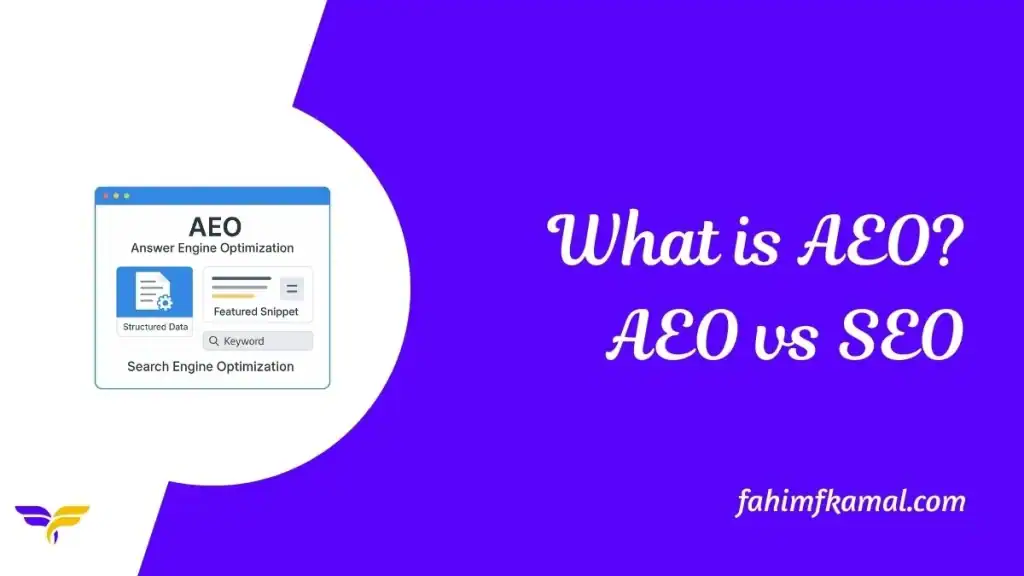
What is Answer Engine Optimization (AEO)? Discover How It Differs from Traditional SEO

AEO, or Answer Engine Optimization, helps your content show up as a direct answer in AI tools, featured snippets, and voice assistants. It differs from SEO because AEO focuses on delivering answers, while SEO focuses on ranking pages.

Search is changing fast. People now ask questions to AI tools, chatbots, and voice assistants instead of browsing long lists of links. This shift creates a need for Answer Engine Optimization (AEO).

AEO helps businesses structure content so it can be used directly by these systems. Unlike SEO alone, AEO prepares your content for quick answers, better visibility, and stronger trust with users.

What is Answer Engine Optimization (AEO)?

AEO is the process of creating content that provides direct, clear, and useful answers. It ensures search engines, AI assistants, and chatbots can quickly pull the right response.

AEO often uses structured data, simple language, and clear formatting to improve visibility in answer boxes. Its goal is not clicks alone, but accurate responses that match user intent.

What is Search Engine Optimization (SEO)?

Search Engine Optimization is the practice of improving web pages to rank higher on search results. It involves on-page elements, backlinks, keywords, and technical factors that influence search rankings.

SEO helps websites gain visibility, attract visitors, and build authority through organic traffic. It has been the foundation of digital marketing for years and remains important today.

Why AEO Matters in Today’s Search Landscape

Search habits are changing quickly with AI, voice search, and conversational tools leading the way. People prefer fast, spoken, or direct answers instead of scrolling through ten blue links.

AEO prepares your content for this shift by making it easier to use in answer engines. Without AEO, businesses risk missing visibility in tools like Google AI Overviews, ChatGPT, or Gemini.

How Does AEO Differ from Traditional SEO?

AEO and SEO share a goal of visibility, but they focus on different outcomes. SEO is about ranking pages in search results, while AEO ensures content appears as direct answers. The table below highlights the key differences.

AspectTraditional SEOAEO
Main GoalRank web pages higherProvide direct, accurate answers
FocusKeywords, backlinks, and on-page factorsStructured data, clarity, conversational format
User IntentDrives clicks to websitesSatisfies the query instantly
PlatformsSearch engines like Google, BingAI assistants (ChatGPT, Gemini, etc.), voice search, and answer boxes
MeasurementTraffic, rankings, conversionsAnswer inclusion, visibility in AI tools

How AEO Works

To optimize your content for Answer Engine Optimization (AEO), consider the following checklist:

  • Lead with the answer: Start your content with a clear, concise response to the user’s query.
  • Use structured data: Implement schema markup like FAQPage, HowTo, or QAPage to help AI systems understand your content.
  • Optimize for voice search: Use everyday language and answer questions the way people speak. This makes your content easier for voice tools to understand.
  • Maintain content clarity: Ensure your content is well-organized, easy to read, and free of jargon.
  • Update content regularly: Update your information often. Fresh content stays useful and looks more trustworthy to both readers and AI tools.
  • Build authority: Link to reputable sources and include author credentials to enhance trustworthiness.

Implementing this AEO structure checklist can improve your content’s visibility in AI-generated responses and voice search results.

Benefits of AEO for Businesses

Implementing Answer Engine Optimization (AEO) offers several advantages for businesses aiming to enhance their digital presence:

  • Enhanced Visibility: AEO increases the chances of your content appearing in featured snippets and AI-generated answers.
  • Increased Traffic: By providing direct answers, AEO can drive more traffic to your website.
  • Improved User Engagement: Clear and concise answers improve user experience, leading to higher engagement rates.
  • Establishing Authority: Consistently appearing as a source in AI-generated answers can position your business as an authoritative figure.
  • Competitive Advantage: As AI-driven search becomes more prevalent, businesses optimized for AEO are better positioned to capture attention.

FAQs

1. Is AEO better than SEO?

AEO and SEO serve different goals. SEO helps your website appear in search results. AEO gets your answer shown directly in responses from AI systems or voice assistants. Both are important for online visibility.

2. How can I rank on AEO?

To rank on AEO:

  • Structure content in a Q&A format.
  • Use schema markup like FAQPage or QAPage.
  • Provide clear, concise answers.
  • Optimize for voice search by using natural language.

3. How long does it take to see AEO results?

AEO results can take a few weeks to a few months. The timeline depends on your existing SEO efforts and the quality of your content.

4. What is the difference between SEO, AEO, and GEO?

SEO improves website rankings in search results. AEO ensures your content appears as direct answers. GEO focuses on making your content included in AI-generated responses, improving reach, trust, and visibility across evolving search platforms.

Summary

Answer Engine Optimization (AEO) helps your content deliver direct, clear answers to AI tools and voice assistants. Use structured data, concise language, and Q&A formats to improve visibility in answer boxes and AI responses.

Regular updates and natural, conversational tone make your content more engaging and trustworthy. Combined with SEO, AEO ensures your business stays competitive as search evolves, building authority, trust, and stronger user connections.

What is Answer Engine Optimization (AEO)? Discover How It Differs from Traditional SEO Read More »

Scroll to Top